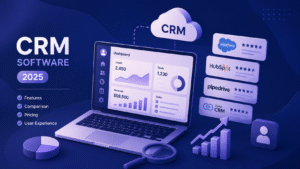
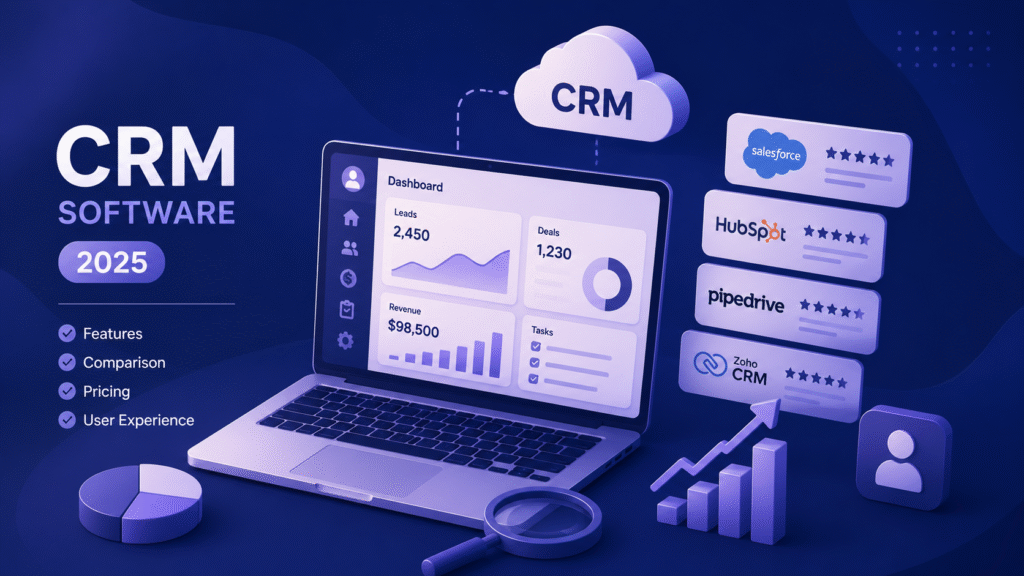

CRM software continues to be the backbone of customer engagement and business growth. In 2025, it has evolved far beyond contact management — integrating AI, automation, and real-time analytics to deliver smarter, faster decision-making.
According to recent market research, the global CRM market is projected to reach over $112 billion in 2025, reflecting how essential these platforms have become for driving customer relationships and revenue growth.
This article compares the top CRM software of 2025, analyzing their key features, usability, and overall value to help you choose the right fit for your business.
Why Businesses Need the Best CRM Software in 2025
Modern CRM platforms have become vital for managing the entire customer journey — from the first interaction to post-sale engagement. In 2025, businesses expect their CRM systems to do more than store data; they demand intelligence, automation, and seamless integration across channels.
Key trends defining the best CRM software this year include AI-driven insights, data analytics for personalization, and automation that reduces manual effort while improving customer responsiveness.
How Top CRM Software in 2025 Improves Customer Management
- Enhanced lead tracking: Helps teams prioritize prospects and close deals faster.
- Real-time analytics: Provides instant visibility into customer behavior and sales performance.
- Smart automation features: Streamlines repetitive tasks and ensures consistent follow-ups across all touchpoints.
How We Compared the Leading CRM Platforms
To identify the most effective CRM platforms of 2025, each software was evaluated against practical business needs and performance criteria. The goal was to highlight solutions that not only deliver strong features but also adapt to different company sizes and industries.
The comparison focused on four key areas:
- Ease of use: How intuitive the platform is for teams to adopt and manage.
- Customization and scalability: The ability to tailor workflows and grow with business demands.
- Automation and AI capabilities: How efficiently the system handles repetitive tasks and provides predictive insights.
- Integrations and pricing: Compatibility with existing tools and overall value for investment.
Each CRM reviewed in this guide stands out in one or more of these areas, ensuring that businesses can find the right fit based on their goals and growth stage.
The Leading CRM Software in 2025: Detailed Comparison
1. Salesforce Sales Cloud
Salesforce Sales Cloud is a comprehensive CRM platform designed to help businesses manage their sales processes more efficiently. It offers a range of features that enable organizations to automate tasks, gain insights into customer data, and enhance collaboration among sales teams.
Key Features:
- Lead and Opportunity Management: Capture, track, and manage leads and opportunities throughout the sales pipeline.
- Sales Forecasting: Utilize AI-driven insights to predict sales outcomes and make informed decisions.
- Automation: Automate routine tasks and workflows to increase efficiency and reduce manual errors.
- Customization: Tailor the platform to meet specific business needs with customizable dashboards and reports.
- Integration: Seamlessly integrate with other Salesforce products and third-party applications.
Ideal For:
Large organizations and enterprises seeking a flexible and scalable CRM solution that can be customized to fit their unique business processes.
Pricing:
Salesforce offers various pricing plans to accommodate different business sizes and needs. For detailed pricing information, please refer to the official Salesforce pricing page.
| Pros | Cons |
| Highly scalable and customizable for enterprise needs. | Complex setup and steep learning curve. |
| Extensive app ecosystem and deep integrations. | Higher cost, especially for small businesses. |
| Strong AI capabilities with tools like Einstein Analytics. | Requires dedicated admin resources for optimal configuration. |
| Robust reporting and forecasting features. | Can be overwhelming without proper training. |
2. HubSpot CRM
HubSpot CRM offers a unified platform that integrates sales, marketing, and service functionalities, making it an excellent choice for small to medium-sized businesses (SMBs) and startups aiming to streamline customer relationship management.
Key Features:
- Unified System: Combines sales, marketing, and service hubs in one platform, facilitating seamless collaboration across teams.
- Free Plan: Provides a robust free tier with up to 1 million contact records, including tools for email tracking, live chat, and task management.
- Advanced Automation: Paid plans offer enhanced automation capabilities, predictive lead scoring, and custom reporting to support business growth.
- Extensive Integrations: Supports over 1,000 third-party applications and custom workflows via Zapier and API access.
Ideal For:
SMBs and marketing-driven organizations seeking an intuitive CRM solution that scales with their growth.
Pricing:
- Free Plan: Includes essential CRM tools with no expiration date.
- Starter Plan: $20/month per user, adding features like email sequences and calling capabilities.
- Professional Plan: $90/month per user, offering advanced automation and reporting tools.
- Enterprise Plan: $150/month per user, providing enterprise-level features such as predictive lead scoring and custom reporting.
| Pros | Cons |
| Generous free plan with unlimited users and 1M contacts. | Essential features often require upgrading to paid plans. |
| User-friendly interface and easy to set up. | Pricing can increase significantly as you scale. |
| Strong marketing automation and lead nurturing tools. | Limited customization options in lower-tier plans. |
| Excellent customer support and community resources. | Some advanced features are locked behind higher-tier plans. |
3. Zoho CRM
Zoho CRM is a versatile customer relationship management platform that integrates sales, marketing, and customer support functionalities. It is particularly recognized for its affordability and robust feature set, making it a compelling choice for small to medium-sized businesses.
Key Features:
- AI Assistant – Zia: Zoho’s AI assistant, Zia, leverages machine learning and natural language processing to provide predictive analytics, automate tasks, and offer intelligent suggestions across various business operations.
- Generative AI Capabilities: Zia can generate modules, reports, and workflows in seconds, enhancing efficiency and customization within the CRM.
- Custom AI/ML Platform: The Ultimate plan includes access to Zoho’s QuickML platform, allowing businesses to build and deploy custom machine learning models tailored to their specific needs.
Pricing:
- Free Plan: Available for up to 3 users, suitable for small teams or startups.
- Standard Plan: $14/user/month (billed annually), offering essential CRM features.
- Professional Plan: $23/user/month (billed annually), adding advanced sales automation and analytics.
- Enterprise Plan: $40/user/month (billed annually), includes Zia AI and advanced customization options.
- Ultimate Plan: $52/user/month (billed annually), providing enhanced analytics and additional AI capabilities.
Ideal For:
Companies seeking to leverage AI-driven insights and automation without incurring high costs. Zoho CRM’s scalability and comprehensive feature set make it suitable for businesses aiming to enhance their customer relationship management processes.
| Pros | Cons |
| Highly customizable with extensive automation capabilities. | User interface can be overwhelming for new users. |
| Affordable pricing with a robust free plan. | Some users report a steep learning curve due to numerous features. |
| Seamless integration with other Zoho applications. | Customer support can be slow at times. |
| Strong analytics and reporting tools. | Mobile app experience may not be as polished as the desktop version. |
4. Pipedrive CRM
Pipedrive is a sales-focused CRM designed to help teams manage leads, track sales activities, and close deals efficiently. Its intuitive, visual pipeline and user-friendly interface make it particularly well-suited for sales-driven organizations.
Key Features:
- Visual Sales Pipeline: Offers a drag-and-drop interface to visualize and manage deals through various stages, enhancing clarity and control over the sales process.
- Automation Tools: Includes workflow automation to streamline repetitive tasks, allowing sales teams to focus on high-priority activities.
- Forecasting Capabilities: Provides advanced forecasting tools to predict revenue and sales outcomes, aiding in strategic planning.
- Activity Tracking: Enables comprehensive tracking of sales activities, ensuring timely follow-ups and improved customer engagement.
Ideal For:
Sales-focused teams and SMBs seeking a straightforward CRM solution that emphasizes simplicity, visual organization, and efficient deal management.
Pricing:
- Essential Plan: $14/user/month (billed annually)
- Advanced Plan: $29/user/month (billed annually)
- Professional Plan: $49/user/month (billed annually)
- Power Plan: $64/user/month (billed annually)
- Enterprise Plan: $99/user/month (billed annually)
{Note: Pipedrive offers a 14-day free trial for all plans.}
| Pros | Cons |
| Intuitive and visual sales pipeline management. | Lacks advanced marketing automation features. |
| Easy to set up and use with minimal training required. | Limited customization options for reports and dashboards. |
| Affordable pricing with a focus on sales teams. | No built-in customer support or ticketing system. |
| Strong activity tracking and reporting features. | Limited integration options compared to other CRMs. |
5. Ontraport
Ontraport is an all-in-one CRM and marketing automation platform tailored for entrepreneurs and digital businesses. It seamlessly integrates sales, marketing, and customer support functionalities, enabling businesses to manage their entire customer journey within a single platform.
Key Features:
- Unified Platform: Combines CRM, marketing automation, eCommerce, and payment processing, allowing businesses to manage all customer interactions in one place.
- Automation Capabilities: Offers advanced automation tools to streamline repetitive tasks, nurture leads, and personalize customer interactions.
- Custom Objects: Allows businesses to create custom data structures to manage unique business processes and relationships.
- Integrated Communication Tools: Provides built-in email, SMS, and direct mail capabilities, ensuring cohesive communication across channels.
Ideal For:
Entrepreneurs, online stores, and digital businesses seeking a comprehensive solution to manage customer relationships, automate marketing efforts, and process payments without the need for multiple disparate tools.
Pricing:
- Basic Plan: Starting at $79/month, includes essential CRM and marketing automation features.
- Plus Plan: Starting at $147/month, adds advanced automation and eCommerce capabilities.
- Pro Plan: Starting at $297/month, offers enhanced customization and reporting tools.
- Enterprise Plan: Custom pricing for large businesses requiring tailored solutions and dedicated support.
All plans come with a 14-day free trial, allowing businesses to explore the platform’s capabilities before committing.
| Pros | Cons |
| Comprehensive automation capabilities for sales and marketing. | Steeper learning curve due to its extensive features. |
| Strong email marketing and e-commerce tools. | Higher cost compared to some other CRM solutions. |
| Centralized platform for managing contacts, payments, and workflows. | Limited integrations with third-party applications. |
| Excellent customer support and training resources. | May be overkill for small businesses with simpler needs. |
6. Nimble CRM
Nimble is a relationship-focused CRM designed to help small teams and solopreneurs manage contacts, sales pipelines, and communications seamlessly. It stands out for its ability to enrich contact profiles by pulling in data from social media and online sources, providing a comprehensive view of each relationship.
Key Features:
- Contact Enrichment: Automatically gathers information from LinkedIn, Twitter, and other platforms to create detailed contact profiles.
- Social Media Integration: Integrates with various social media channels to monitor conversations and engage with leads effectively.
- Email Marketing: Includes built-in tools for creating and sending email campaigns, capturing leads, and nurturing relationships.
- Sales Pipeline Management: Offers visual pipelines and workflow automation to streamline sales processes.
- Mobile Access: Provides mobile apps for managing contacts and deals on the go.
Ideal For:
Sales teams, solopreneurs, and small businesses that prioritize relationship-building and require a CRM that integrates social media insights and communication tools.
Pricing:
- Monthly Plan: $29.90 per user/month.
- Annual Plan: $24.90 per user/month (billed annually).
- Email Marketing Add-On: $15 per company/month.
- Storage: 2 GB per user, with additional storage available at $10 per 10 GB.
Note: Nimble offers a 14-day free trial for new users.
| Pros | Cons |
| Simple and intuitive interface focused on relationship building. | Limited advanced features compared to other CRMs. |
| Strong social media integration for contact enrichment. | Lacks advanced reporting and analytics tools. |
| Affordable pricing with a focus on small businesses. | Limited customization options. |
| Easy to set up and use with minimal training required. | May not scale well for larger organizations. |
7. Membrain CRM
Membrain is a B2B sales enablement CRM designed to help organizations with complex sales cycles optimize their sales processes. It combines CRM capabilities with advanced sales enablement features to guide teams through structured sales methodologies, ensuring consistency and effectiveness across the sales process.
Key Features:
- Customizable Sales Processes: Allows teams to design and implement tailored sales processes that align with their specific sales methodologies.
- Sales Coaching Tools: Provides embedded coaching prompts and feedback mechanisms to support continuous development and adherence to best practices.
- Dynamic Playbooks: Offers adaptable playbooks that guide sales representatives through various sales scenarios, ensuring appropriate actions are taken at each stage.
- Performance Analytics: Delivers insights into sales performance, highlighting areas for improvement and tracking progress against goals.
- Collaboration Spaces: Facilitates shared workspaces for sales teams to collaborate on deals, share insights, and align strategies.
Ideal For:
B2B organizations with complex sales cycles seeking to standardize and optimize their sales processes through structured methodologies and continuous coaching.
Pricing:
- Starter Plan: $49/user/month – Includes basic sales process design and activity tracking.
- Professional Plan: $79/user/month – Adds dynamic playbooks and embedded coaching features.
- Enterprise Plan: $119/user/month – Offers advanced analytics, AI suggestions, and premium support.
Note: Pricing is based on annual billing. Membrain offers a 14-day free trial for all plans.
| Pros | Cons |
| Focuses on sales process execution and coaching. | Higher cost compared to some other CRM solutions. |
| Provides structured guidance and analytics to improve sales performance. | May require dedicated resources for setup and customization. |
| Strong integration with sales methodologies and frameworks. | Limited marketing automation capabilities. |
| Excellent support and training resources. | May not be suitable for businesses outside of B2B sales. |
8. Salesmate CRM
Salesmate is a highly customizable CRM designed to adapt to your unique sales processes. It offers flexible dashboards, automation tools, and seamless integrations, making it suitable for businesses seeking an adaptable CRM experience.
Key Features:
- Custom Dashboards: Create personalized dashboards with over 45 widgets to monitor key metrics and gain real-time insights.
- Sales Automation: Automate repetitive tasks such as follow-ups, lead scoring, and meeting scheduling to enhance efficiency.
- Communication Tools: Integrate with email, phone, chat, and marketing platforms to streamline communication channels.
- Custom Modules: Capture and manage any data type with custom modules tailored to your business needs.
Ideal For:
Businesses seeking a CRM that offers extensive customization options to align with their specific sales processes and workflows.
Pricing:
- Basic Plan: $23/user/month – Includes contact management, activity tracking, and standard dashboards.
- Pro Plan: $39/user/month – Adds email sequences, product management, and custom dashboards.
- Business Plan: $63/user/month – Offers advanced features like custom modules, power dialer, and SLA management.
Note: Salesmate offers a 15-day free trial with no credit card required.
| Pros | Cons |
| Highly customizable dashboards and workflows. | Limited advanced reporting and analytics features. |
| Strong integration with email, phone, chat, and marketing platforms. | Mobile app may lack some features available on the desktop version. |
| Affordable pricing with a focus on small to medium-sized businesses. | Limited third-party integrations compared to other CRMs. |
| User-friendly interface with minimal setup required. | Customer support can be slow at times. |
9. Close CRM
Close is a sales communication platform designed to help inside sales teams accelerate outreach through built-in calling, SMS, and email automation. It provides an intuitive pipeline interface combined with activity tracking and AI-powered insights to boost sales productivity.
Key Features:
- Built-in Dialer: Start calls instantly from any lead page—no extra software needed.
- AI-Powered Call Summaries: Get transcriptions and action items automatically with AI.
- Predictive Dialing: Double your outbound call volume with smart dialing.
- Unified Communication: Call, email, and text directly from your CRM—so your team can spend more time selling and less time clicking around.
- Automation: Automate follow-ups, task creation, and lead routing.
Ideal For:
Sales teams that rely heavily on robust calling automations and need a unified platform for communication.
Pricing:
- Solo: $9/user/month – Includes built-in email, calling, and SMS; centralized inbox; pipelines; mobile app; custom fields; and calendar sync.
- Essentials: $35/user/month – Adds unlimited contacts, built-in calling/SMS, multiple pipelines, and more.
- Growth: $99/user/month – Includes automated workflows, Power Dialer, AI Email Assistant, and more.
- Scale: $139/user/month – Offers predictive dialer, call coaching, role-based permissions, and more.
Note: Close offers a 14-day free trial with free data migration, startup features, and support – no credit card required.
| Pros | Cons |
| Built-in dialer, email automation, and SMS tools for outbound sales. | Higher cost compared to some other CRM solutions. |
| Streamlines multi-channel communication in one interface. | Limited marketing automation features. |
| Excellent for sales teams running outbound or inside sales. | May not be suitable for businesses with complex sales processes. |
| Strong activity tracking and reporting features. | Limited customization options for reports and dashboards. |
10. Copper CRM
Copper CRM is a customer relationship management tool designed to integrate seamlessly with Google Workspace. It allows teams to manage contacts, track deals, and automate workflows directly within familiar Google applications like Gmail, Calendar, and Drive. This integration reduces the need for switching between multiple platforms, streamlining daily operations.
Key Features:
- Gmail Integration: Add leads and update records based on email interactions.
- Calendar Sync: Access event details and customer interactions directly from Google Calendar.
- Drive Integration: Automatically sync documents to contact records and easily attach files in emails.
- Automation: Create recurring tasks and notifications to keep workflows efficient.
- Reporting: Export data to Google Sheets for analysis and visualization.
Ideal For:
Startups and small businesses already utilizing Google Workspace, seeking a CRM that integrates seamlessly with their existing tools.
Pricing:
- Starter: $9/user/month (billed annually)
- Basic: $23/user/month (billed annually)
- Professional: $59/user/month (billed annually)
- Business: $99/user/month (billed annually)
Note: Copper offers a 14-day free trial for all plans.
| Pros | Cons |
| Seamless integration with Gmail, Drive, and Calendar. | Higher cost compared to some other CRM solutions. |
| Easy to use for teams already using Google apps daily. | Limited advanced features compared to other CRMs. |
| Strong collaboration and document management capabilities. | Limited customization options for reports and dashboards. |
| Excellent support and training resources. | May not scale well for larger organizations. |
11. Keap CRM
Keap is an all-in-one CRM and business automation platform designed to help small businesses streamline their sales, marketing, and customer service processes. It combines CRM functionalities with powerful automation tools, enabling businesses to manage leads, nurture customer relationships, and automate repetitive tasks efficiently.
Key Features:
- Lead Scoring: Automatically assign scores to leads based on their interactions and behaviors, helping prioritize follow-ups.
- Sales Pipelines: Visualize and manage sales processes with customizable pipelines, ensuring no opportunity is overlooked.
- Workflow Builders: Create automated workflows using a drag-and-drop interface to streamline tasks and communications.
- E-commerce Tools: Manage payments, invoicing, and appointments directly within the CRM.
- Email & SMS Marketing: Design and send personalized email and SMS campaigns to engage with leads and customers.
Ideal For:
Small business owners seeking a comprehensive solution to automate and manage their sales, marketing, and customer service operations from a single platform.
Pricing:
- Pro Plan: Starting at $249/month for 2 users and up to 1,500 contacts.
- Max Plan: Starting at $399/month for 3 users and up to 2,500 contacts.
- Ultimate Plan: Custom pricing for larger teams and advanced needs.
Note: Keap offers a 14-day free trial for all plans.
| Pros | Cons |
| Combines CRM, marketing automation, and e-commerce tools in one platform. | Higher cost compared to some other CRM solutions. |
| Features lead scoring, pipelines, and workflow builders. | Steeper learning curve due to its extensive features. |
| Excellent for small business owners wanting automation simplicity. | Limited advanced reporting and analytics features. |
| Strong customer support and training resources. | Limited third-party integrations compared to other CRMs. |
CRM Pricing Comparison (Monthly Per User)
| CRM Tool | Free Plan | Starting Price | Top Tier Price |
| Salesforce Sales Cloud | No | $25 (Starter) | $350 (Unlimited) |
| HubSpot CRM | Yes | $15 (Starter) | $50 (Professional) |
| Zoho CRM | Yes | $10 (Standard) | $50 |
| Pipedrive | No | $14.90 (Essential) | $29.90 (Enterprise) |
| Ontraport | Yes | $79 (Basic) | $497 (Enterprise) |
| Nimble | No | $24.90 (Annual) | $29.90 (Monthly) |
| Membrain | Yes | $49 (Prospecting) | $89 (Account Growth) |
| Salesmate | Yes | $23 (Basic) | $79 (Business) |
| Close | No | $99 (Starter) | $149 (Enterprise) |
| Copper | Yes | $29 (Basic) | $119 (Enterprise) |
| Keap | Yes | $79 (Lite) | $199 (Pro) |
How to Choose the Right CRM for Your Business
Selecting the ideal CRM depends on your business size, sales model, and operational needs. Match your priorities with the CRM strengths:
For Small Businesses & Startups:
- HubSpot CRM, Zoho CRM, Keap – Affordable, easy-to-use, and scalable solutions with marketing automation.
For Sales-Focused Teams:
- Pipedrive, Close, Salesmate – Visual pipelines, activity tracking, and multi-channel communication to boost outbound and inside sales.
For Enterprises & Large Organizations:
- Salesforce Sales Cloud, Membrain – Highly customizable, scalable platforms with advanced analytics and AI capabilities.
Tips for Choosing & Testing:
- Take advantage of free trials or demo periods to explore usability.
- Evaluate integrations with your existing tools (email, accounting, marketing).
- Consider long-term scalability and team onboarding support.
- Define the key metrics you want to track and ensure the CRM supports them.
Conclusion: Finding Your Best CRM Match in 2025
Choosing the right CRM is less about picking the most popular platform and more about aligning features with your business needs and team structure. From small businesses seeking ease-of-use with HubSpot or Zoho, to sales-driven teams excelling with Pipedrive or Close, and large enterprises thriving on Salesforce or Membrain, the perfect CRM varies by organization.
Start by testing a few options through free trials or demos to see which platform fits your workflows, enhances productivity, and drives growth.
Ready to make the right CRM choice for your business? Visit MySaaSJourney.com to explore expert guidance, in-depth comparisons, and actionable insights to find the CRM that fits your unique business needs.