
An incident report template gives your team a consistent way to record what happened, who or what was affected, how the event was handled, and what needs to change next. It can cover workplace safety events, IT outages, cybersecurity alerts, customer complaints, data exposure, damaged equipment, vendor failures, and near misses.
The right template does more than collect a date and a description. It helps people separate verified facts from assumptions, preserve useful evidence, assign follow-up work, and document how the incident was closed. Without a clear structure, reports can be incomplete or difficult to act on.
This guide includes 10 dedicated incident report templates, each designed for a different situation. Download the editable Word files, adapt them to your process, and use the scenario examples to decide which form fits the event. These templates are general starting points. Safety, privacy, security, legal, and regulatory incidents may require additional steps under your organization’s policies and local rules.
Download the 10 incident report templates
Choose the template that matches the main incident type. If an event crosses categories, such as a cyberattack that exposes customer data and interrupts a service, you may need a primary incident record plus linked security, privacy, or outage records.
- General incident report template: For unexpected events that do not fit a specialized category.
- Workplace health and safety incident template: For injuries, near misses, unsafe conditions, or exposure events.
- IT service outage incident template: For application downtime, network failures, degraded performance, or access problems.
- Cybersecurity incident report template: For suspected phishing, malware, unauthorized access, or credential compromise.
- Data breach or privacy incident template: For possible exposure, loss, alteration, or misdelivery of personal or confidential information.
- Customer complaint or service incident template: For service failures, billing issues, missed deliveries, and recurring support problems.
- Equipment damage or property incident template: For damaged assets, lost property, facility incidents, and repair follow-up.
- Project or process failure template: For missed deadlines, failed handoffs, incorrect deliverables, or operational breakdowns.
- Vendor or third-party incident template: For supplier failures, SaaS outages, missed service commitments, or third-party data concerns.
- Near-miss and corrective action template: For events that could have caused harm but did not, and for tracking preventive actions.
Download an editable incident report template
Choose the Word document that matches your situation. Each file opens or downloads from the My SaaS Journey media library.
- Download General Incident Report Template (Word)
- Download Workplace Health and Safety Incident Template (Word)
- Download IT Service Outage Incident Template (Word)
- Download Cybersecurity Incident Report Template (Word)
- Download Data Breach or Privacy Incident Template (Word)
- Download Customer Complaint or Service Incident Template (Word)
- Download Equipment Damage or Property Incident Template (Word)
- Download Project or Process Failure Template (Word)
- Download Vendor or Third-Party Incident Template (Word)
- Download Near-Miss and Corrective Action Template (Word)
Download a template, open it in Microsoft Word or a compatible editor, and customize it to your organization’s reporting process.
What is an incident report?
An incident report is a structured record of an unexpected event, its known impact, the response, the evidence available, and the actions needed to reduce the chance of recurrence. The word “incident” can mean different things across teams. A safety team may use it for a workplace injury, while an IT team may use it for an application outage or security alert.
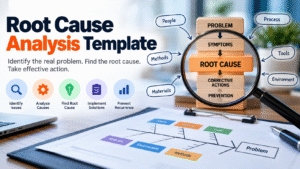
A report is not the same as a root-cause analysis. The initial report captures facts and response steps. A later investigation may establish why the event happened, whether controls failed, and which changes will help prevent a repeat. Do not wait for every answer before recording the initial event.
A useful report should answer these questions: What happened? When and where did it happen? Who or what was affected? What is known, and what remains uncertain? What was done immediately? Who has been notified? What evidence exists? What needs to happen next, and who owns it?
What should an incident report include?
The exact fields depend on the incident type, but most reports benefit from a common core.
Incident identification
Give the report a title or ID, record when the event occurred and when it was discovered, and identify the location, system, process, or service involved. Include a time zone for technical events that span regions. If the start time is estimated, label it as an estimate.
Reporter and incident owner
Record who submitted the report and who is responsible for coordinating the response. The reporter may not be the investigator or final approver. Make ownership clear so the report does not sit without follow-up.
Factual description
Write the sequence of events in plain language. Distinguish direct observations from estimates, assumptions, and unconfirmed reports. Use timestamps where they help establish the order of events. Avoid blame or speculation in the first description.
Impact and immediate response
Describe the actual impact and the credible potential impact. Depending on the situation, this may include people affected, service downtime, data categories, property damage, delayed work, customer disruption, or safety risks. Record containment, first aid, workarounds, account restrictions, equipment shutdown, or other actions already taken, including who took the action and when.
Evidence, investigation, and actions
Identify relevant logs, photos, inspection records, messages, witness statements, support tickets, or monitoring alerts. Store evidence in an approved location and reference it rather than copying sensitive material into a broadly accessible report. Record what is known, what remains under investigation, and possible contributing factors. Do not label a suspected cause as confirmed.
Each corrective action should have a named owner, due date, status, and a way to verify that it worked. “Improve the process” is too vague. “Add a second-person review for high-risk changes and audit the next 20 changes” is more actionable. At closure, capture the reviewer, open items, closure rationale, and effectiveness review date.
1. General incident report template: example scenario
Download the General Incident Report Template (Word)
Use this template for a process issue, unexpected event, minor disruption, or unusual occurrence that does not fit a specialized form.
Scenario: A team discovers that a shared project folder has been unavailable to several employees for part of the morning. No data loss has been confirmed, but a deadline was delayed.
How to complete it: Record the approximate start time, discovery time, affected folder or service, number of users who reported the issue, and the workaround used. Link any support ticket and record the service owner. If the cause is not known, write “under investigation.” After access is restored, ask the owner to confirm that the expected files are present and usable.
Common mistake: Writing “the system failed because someone changed permissions” before checking the audit history. Document the observation first and add a confirmed cause only when evidence supports it.
2. Workplace health and safety incident template: example scenario
Download the Workplace Health and Safety Incident Template (Word)
Use this template for an injury, near miss, unsafe condition, exposure, or equipment-related safety event. Immediate safety action takes priority over paperwork.
Scenario: An employee slips on a wet floor near a loading area. The employee reports discomfort, and another worker places a warning sign while a supervisor arranges the next steps.
Record the location, time, task underway, floor conditions, whether warning signs were present, witnesses, and the response provided. Record relevant injury or first-aid details according to internal policy, and avoid collecting unnecessary medical information. Photograph the hazard only if it is safe and permitted. Identify who is responsible for fixing the underlying condition and how the team will confirm the fix.
Common mistake: Blaming the employee without examining drainage, housekeeping, signage, footwear requirements, or workload. Investigate the circumstances and controls rather than jumping to a conclusion.
3. IT service outage incident template: example scenario
Download the IT Service Outage Incident Template (Word)
Use this template when an application, network, database, cloud service, or integration becomes unavailable or performs below its expected level.
Scenario: Staff cannot access a customer-support platform after a deployment. The incident team rolls back the change, checks service health, and confirms that users can sign in again.
Record the service name, environment, incident severity, start and detection times, affected users, error messages, and deployment or configuration changes near the start of the event. Keep a timestamped response log. Record the rollback and the validation steps used to confirm recovery. If data integrity is uncertain, keep that concern open until the service owner verifies it.
Common mistake: Closing the incident as soon as a status page turns green. Recovery should be verified against real user workflows, dependencies, and delayed jobs or queued transactions that may need attention.
4. Cybersecurity incident report template: example scenario
Download the Cybersecurity Incident Report Template (Word)
Use this template for suspected phishing, malware, account compromise, unauthorized access, or other security events. Follow the approved incident-response plan and escalate promptly. Do not delay containment while completing the form.
Scenario: An employee reports entering credentials into a page reached from a suspicious email. The security team reviews account activity, revokes sessions if appropriate, and checks whether the account was used unexpectedly.
Record when the message was received and reported, the account or device involved, indicators observed, and authorized actions taken. Preserve email headers and relevant logs according to security procedures. Note whether sessions were revoked, whether the device was isolated, and who approved each action. Keep a clear distinction between a suspected compromise and a confirmed one.
Common mistake: Forwarding suspicious attachments to colleagues or placing sensitive indicators in an unrestricted document. Use approved security channels and limit access to evidence.
5. Data breach or privacy incident template: example scenario
Download the Data Breach or Privacy Incident Template (Word)
Use this template whenever personal, confidential, customer, employee, or regulated information may have been exposed, lost, altered, or sent to the wrong recipient. Notify the privacy or legal contact promptly so deadlines and obligations can be assessed.
Scenario: A staff member realizes that a spreadsheet containing customer contact details was sent to an unintended external recipient. The sender alerts their manager and the privacy contact.
Record the time discovered, likely time of disclosure, type of information involved, approximate number of records if known, and the recipient or system involved. Do not paste the actual sensitive data into the report. Document containment, attempts to restrict access or recall the message, and evidence preserved. Leave notification decisions to the designated privacy or legal owner, who should assess the applicable rules and facts.
Common mistake: Deciding that an incident is “not a breach” before reviewing the data, recipient, exposure period, and applicable obligations. Record facts quickly and let the authorized reviewer determine notification requirements.
6. Customer complaint or service incident template: example scenario
Download the Customer Complaint or Service Incident Template (Word)
Use this template when a customer reports a service failure, billing issue, delayed delivery, product defect, or recurring problem. It helps support teams distinguish a single case from a wider pattern.
Scenario: Several customers report that an invoice shows a duplicate charge after a plan change. Support creates linked cases and escalates the pattern to billing operations.
Record ticket references, product or plan, expected versus actual result, first known occurrence, reproduction steps, and the impact reported by the customer. Include what was communicated, the next update deadline, and any approved refund or correction. If multiple cases may share a cause, link them to a parent incident rather than treating every report as unrelated.
Common mistake: Marking the case resolved after sending a reply, even though the customer outcome or underlying defect has not been verified. Record both the technical fix and the customer-facing resolution.
7. Equipment damage or property incident template: example scenario
Download the Equipment Damage or Property Incident Template (Word)
Use this template for damaged equipment, lost property, facility damage, vehicle incidents, or an asset malfunction that may require maintenance, replacement, or insurance follow-up.
Scenario: A company laptop is found with a damaged screen after a field visit. The employee reports where it was last used and whether the device was exposed to liquid or impact.
Record the asset tag or serial number, condition, location, time discovered, people who handled the equipment, and photos if permitted. Do not speculate about the cause. If safety or data security is a concern, remove the asset from use and contact the relevant team. Record repair estimates, supplier references, approvals, and the inspection required before the asset returns to service.
Common mistake: Discarding damaged components or wiping a device before the responsible team determines whether evidence needs to be retained.
8. Project or process failure template: example scenario
Download the Project or Process Failure Template (Word)
Use this template for missed milestones, failed handoffs, incorrect deliverables, deployment mistakes, or breakdowns in a business process.
Scenario: A marketing campaign launches with an outdated pricing table because the final content review did not include the product owner. The team pauses the campaign and replaces the asset.
Record the approved requirement, actual output, when the mismatch was introduced and detected, who was affected, and how the team corrected it. Review handoffs, approvals, source-of-truth documents, and schedule pressure. Assign preventive actions such as required owner approval, version control, or a pre-launch checklist, then define how compliance will be checked.
Common mistake: Writing “human error” as the complete root cause. Ask what made the error possible and why the process did not detect it before release.
9. Vendor or third-party incident template: example scenario
Download the Vendor or Third-Party Incident Template (Word)
Use this template when a supplier, SaaS provider, logistics partner, payment processor, or other external dependency experiences a disruption or fails to meet an agreed requirement.
Scenario: A cloud service provider reports an outage that prevents staff from accessing a workflow tool. The internal service owner activates a manual workaround and tracks vendor updates.
Record the vendor incident ID, affected service, contract or SLA reference, time of impact, internal processes affected, and the vendor’s statements. Distinguish the vendor’s preliminary explanation from a confirmed cause. Document the workaround, communication cadence, internal recovery checks, and any contractual review that may be needed. Track vendor actions separately from internal actions.
Common mistake: Treating the vendor’s public status update as proof that every internal workflow has recovered. Validate the business process and record remaining issues.
10. Near-miss and corrective action template: example scenario
Download the Near-Miss and Corrective Action Template (Word)
Use this template when an event could have caused harm but did not. Near misses can reveal weak controls before a more serious incident occurs.
Scenario: A database backup job fails, but a second backup completes before data is lost. The team records the failure, checks restore readiness, and investigates the alerting gap.
Record what almost happened, what prevented harm, the credible potential consequence, and which controls worked or failed. Assign a corrective action that addresses the cause, not only the visible symptom. Define a test that proves the action works, such as a successful restore exercise or a review of future backup alerts.
Common mistake: Dismissing the event because no damage occurred. The absence of harm may be luck, a last-minute intervention, or a control that should be understood and preserved.
How to write an incident report step by step
Step 1: Make the situation safe
For an injury, fire, active cyberattack, data exposure, or critical outage, follow the relevant emergency or incident-response process first. A form is not a substitute for immediate action.
Step 2: Record the first reliable facts
Capture time, location, reporter, system or asset, and a short description. If a time is estimated, label it as an estimate. For technical events, include the time zone and relevant incident IDs.
Step 3: Describe events in chronological order
Use direct language and concrete observations. “At 10:14, three users received a permission error” is more useful than “the system was broken all morning.” Avoid assigning blame or stating a cause without evidence.
Step 4: Separate impact from potential risk
Record what actually happened and what could reasonably have happened. Mark unknowns and estimates clearly. Avoid presenting a worst-case possibility as a confirmed outcome.
Step 5: Record response actions
Include who did what, when, and with what result. This helps the next responder understand what has already been attempted and prevents repeated or conflicting work.
Step 6: Preserve evidence securely
Reference approved storage locations for logs, screenshots, photos, messages, or records. Limit access where evidence contains customer information, personal data, security details, or confidential business material.
Step 7: Assign actions and owners
Every follow-up should have an accountable owner, a realistic due date, and a verification method. Track unresolved actions in a ticketing or risk-management system if your team uses one.
Step 8: Review and close
Confirm the report is accurate, notify required stakeholders, document open questions, and schedule an effectiveness review when appropriate. Closure does not mean every long-term action is finished, but it should be clear who owns the remaining work.
Common incident reporting mistakes
- Writing opinions as facts: Use “the log shows” or “the reporter observed” when describing evidence. Mark hypotheses as suspected or unconfirmed.
- Waiting for a complete investigation: File an initial report promptly and update it as facts become available. Mark missing details as unknown rather than guessing.
- Leaving out times: Dates without times can make it hard to reconstruct the sequence, especially during an outage or security event. Include time zones where relevant.
- Using vague impact statements: Explain which users, services, records, assets, or deadlines were affected. If the scope is still being assessed, say so.
- Failing to assign owners: An action without an owner or due date is easy to forget. Give each action an accountable person or role and a method for confirming completion.
- Over-sharing sensitive details: Do not include passwords, access tokens, unnecessary medical details, full payment data, or raw personal information in a general report. Store restricted evidence in approved systems.
- Closing without checking the fix: Verify that the service, asset, customer outcome, or safety control works as expected. Record who performed the check and when.
- Treating the template as the policy: A template helps capture information. It does not replace incident command, statutory reporting, legal review, safety procedures, or contractual obligations.
How to choose the right template
Start with the main risk or outcome. If the event concerns possible harm to a person, use the workplace safety form. If the central issue is service availability, use the IT outage form. If unauthorized access or malicious activity is suspected, use the cybersecurity form and activate the formal response process. If personal data may be involved, notify the privacy lead and use the data breach template alongside any security report.
For customer-facing failures, use the customer service form and link related tickets. For damaged physical assets, use the equipment/property form. For missed handoffs or process breakdowns, use the project/process form. For a third-party dependency, use the vendor form. If a serious outcome was narrowly avoided, use the near-miss form so corrective action is tracked.
Some incidents need more than one record. A ransomware event might require a cybersecurity report, an IT outage record, and a privacy assessment. Use one master incident ID and cross-reference related records so teams can coordinate without duplicating evidence or losing accountability.
Recommended workflow for teams
Define severity levels
Explain what low, medium, high, and critical mean for your organization. Include examples and who has authority to declare or change severity.
Set reporting channels
Tell employees where to report an incident after hours, what to do in an emergency, and how to escalate if the normal channel is unavailable.
Name the roles
Distinguish reporter, incident owner, investigator, communications owner, approver, and action owner. One person may hold more than one role in a small team, but responsibilities should remain clear.
Control access and retention
Decide who can read reports, how evidence is stored, and how long records are retained. Security, privacy, HR, and safety records may need different access rules.
Review trends and test the process
Periodically look for repeated causes, recurring vendor issues, repeat customer complaints, and overdue corrective actions. Run a short tabletop exercise for a plausible scenario, such as a service outage or data sent to the wrong recipient. Check whether people know where to report, who makes decisions, and how updates are communicated.
Frequently asked questions
What is an incident report template?
It is a reusable form that helps capture event details, impact, response, evidence, investigation status, and corrective actions in a consistent structure.
What are the five basic parts of an incident report?
A practical minimum is incident details, factual description, impact, immediate response and evidence, and follow-up actions. Higher-risk incidents may require additional technical, safety, privacy, or regulatory fields.
When should an incident report be completed?
Report promptly under your organization’s policy. For active emergencies, safety events, cybersecurity incidents, and possible data breaches, take immediate response steps and notify the designated contacts before or while completing the form.
Can I use one template for every incident?
A general template is useful for simple events, but specialized events often need different fields. Security incidents need evidence handling and containment details, while safety incidents need hazard and injury information.
What is the difference between an incident report and an accident report?
Organizations use these terms differently. An accident report usually focuses on an event that caused harm or damage, while an incident report may also cover service disruption, security events, complaints, and near misses. Follow the terminology in your own policy.
Should an incident report include a root cause?
Include the current status. If the cause is not known, state that it is under investigation. Update the report after the investigation rather than guessing.
Who should write the incident report?
The person who first identifies the event may submit the initial report. A designated owner or investigator can add verified findings, actions, and closure details.
Are these templates legally compliant?
No general template can guarantee compliance across every country, industry, and incident type. Review local requirements, contracts, and internal policies, especially for workplace injuries, privacy incidents, cybersecurity events, and regulated data.
Should reports include photos or screenshots?
Include them when relevant and permitted, but store sensitive evidence securely. Follow rules for privacy, employee information, security indicators, and chain of custody.
How do I make incident reports more useful?
Use clear facts, reliable timestamps, specific impact, linked evidence, named action owners, due dates, and a check that confirms the fix worked.
Final checklist before closing an incident
Before closing, confirm that the report has an incident ID or clear title, dates and times, an objective description, affected people or systems, known impact, immediate actions, notifications, and evidence references. Confirm that unknowns are marked honestly and that sensitive data is handled appropriately.
Check that the root cause is either supported by evidence or clearly marked as unresolved. Every corrective action should have an owner, due date, and verification method. Record the recovery or resolution check, the reviewer, the closure decision, and any follow-up review date.
The purpose of incident reporting is not simply to create a record. A good report helps people respond, communicate, learn, and reduce the chance of a similar event. Choose the template that matches the situation, adapt it to your policies, and make sure the actions it creates are followed through.
Note: These templates are general starting points and do not replace legal, safety, privacy, regulatory, or incident-response advice. For active emergencies, follow your organization’s official procedures first.
Image credit: Photo by Gorilla ROI Data Connector via Unsplash.